MarkBernstein.org

Jim Coyer discusses an the distinction between formatting information nicely and actually capture and analysis, using Tinderbox agents and my humble Roger Ebert notes as a fulcrum.

Coming back to it after a few months of trying to use ‘standard tools’, I see immediately what I’ve been missing. I’ve been spending 80% of my time doing the formatting and 20% getting the ideas down. Tinderbox inverts this; I spend 80% on the ideas and 20% on arranging and organizing them.

Another nice note on Tinderbox from Greg Askew:

I probably only use 10% of Tinderbox, yet even that sliver of the product has given me the mental focus and agility to work through so many aspects of my life - large events like moving house, to small activities like baking a decent loaf of bread.

Software designers — especially those whose starting point is UI/User Experience — often argue that the user's needs are mostly simple. It’s just not true.

Everything looks better in Tinderbox 4.5.0, which is available right now.

Tinderbox 4.5: look better, learn more

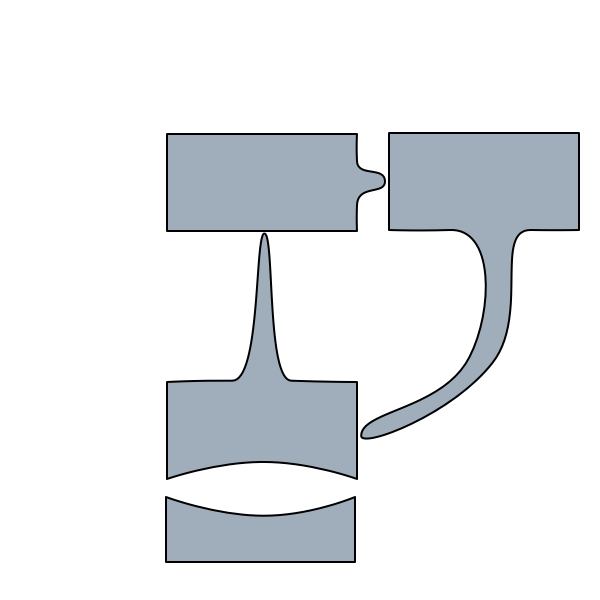
New shapes, sparklines, drop shadows, multi-line outlines — it might all seem like eye-candy, dross to impress bored managers. But it's not. All the new graphic features are tied to showing you more of your data, and helping you to see connections you might otherwise miss.

Tinderbox has crossed a wonderful new tipping point of power and usability. — Russ Lipton

Tinderbox 4.5 will you new ways to look at your agents and containers.

First, you can scroll inside a container. It’s easy: you just drag the background of the interior, and drag it where you like. Of course, you can zoom in whenever you want.

Second, the title bar itself is now draggable. You can even pull down a text excerpt, or have your agent or container build a summary table to your order. (Here, I've got a list of early modern architects; the table is sorted alphabetically and computers how old they’d have been at the World’s Fair of 1893.

Coming Attractions: Agent Updates

For the first time in years, I'm writing today’s weblog posts with Tinderbox’s automatic agent updates turned on. This is surprising, because this weblog document is large (6500 notes, 2000 aliases, 11,000 links ) and has nearly fifty agents. Many of those agents are searching for the entire document (about half a million words) in order to automatically assign topics or to flag posts that aren’t well linked. Others do tricky selection and formatting. (The main page, for example, is an agent.)

We’re experimenting with a new approach to agent updates. Where Tinderbox has always updated all its agents at one time, the new agent manager splits the work into many small pieces, and does each piece when time allows. It’s still not perfect; occasionally, the agent manager will bite off more than it can chew and I'll see a small delay while I'm typing. (This is on the Macbook Air, a comparatively slow machine.)

So there may still be some tuning to be done, but it’s a big improvement. And if it’s tolerable for this Tinderbox document, it’s likely to be better for yours.

Jolyon Patten, a London solicitor who specializes in complex commercial issues, writes today about a fascinating kind of Tinderbox analysis. Here's his problem:

I’ve had a thorny problem to deal with today, involving a case in the Philippines, where I had two strands of information: the first was what a party had said (over time) had happened; the second was what had actually happened, as ex post facto discerned from various sources.

As you can imagine, this sort of analysis can quickly turn hair-raising; you need to keep track of what happened, what people thought had happened, what people pretended had happened, and what people could reasonable have believed at different times. This is hard — contrast the wonderful concept demo from Adaptive Path that posits a “business problem” of reacting to a competitor who has called to taunt you about the impact that the weather may have on your profits — and it’s absolutely the sort of problem that people need to solve.

Patten explains that he

…turned to Tinderbox and quickly scratched together a document that allowed me, in map view, to use long, thin adornments to set out the relevant years, with different coloured notes for Real Facts and for Alleged Facts above and below the adornment ‘timeline’. Facts and Representations had different prototypes, with subtle colour differences, and it was easy to add fields as and when needed.

We've got a bunch of new visualization features coming in Tinderbox 4.5, which isn’t quite ready yet. They’re shiny, they look nice, but that’s not the point. The point is that visualization can help you see things you’d otherwise miss, and to discover patterns in data that would otherwise give you a headache.

Aug 08 9 2008

Crunch

I'm working on some very tricky new Tinderbox code. Lots of very long days, and quite a few very long nights. Not much posting. Shouldn't go on too much longer.

Jeff Abbott, author of Panic and Fear, has just finished a book tour for Collision and is writing about questions he was asked. Today, he talks about Tinderbox and how he uses it to outline his best-selling tales.

You can attach detailed notes to your outline entries. You can put related groups of entries into visual boxes called containers. I create containers for backstory, Act One, Act Two, and so on, which is an incredibly powerful and flexible way to organize my notes and structure my story. I can also have notes appear in one than more place: so I can have a note about the scene where the hero meets his true love in the main book outline, and then make that same note reappear in a subplot outline called "love affair".

Ed Tufte urges people to use sparklines — small, memorable data displays embedded in text. How might we add something like sparklines to Tinderbox?

One interesting idea is to let containers and agents show a simple chart of some property of their contents. For example, this note happens to be inside a container called "Jul0801", which contains all my weblog posts for July 2008. With the new feature, we set the Pattern of the container to be plot($WordCount), and now the container looks like this:

Sparkline Plots: a Tinderbox Experiment

This gives me a sense of the rhythm of long and short posts. Or, I might plot the note's Modification date; since the notes are sorted by publication date, downturns in the plot follow posts that were revised after publication.

Sparkline Plots: a Tinderbox Experiment

I can readily imagine applications to personal productivity (plotting the dates when things are added to Done) or personal dashboards (like Alwin Hawkins’ diabetes management Tinderbox). I expect we’ll find unexpected uses, too. For example, I grabbed the statistics for major league baseball rookies from Baseball Prospectus, dragged them into Tinderbox, and made an agent to collect all rookies with at least 100 at bats and sort them by their value above the value of a replacement player (VORP). Then, I plotted the player's slugging percentage:

Sparkline Plots: a Tinderbox Experiment

The graph generally declines from left to right; the most valuable rookies often hit for power. But there's an interesting spike near the left edge — what’s that? It turns out to be Detroit’s Matthew Joyce, who has only 123 plate appearances but who has hit ten homers for a gaudy .661 slugging percentage. That’s the sort of anomaly we want to notice, and it's easier to see in a graph then in a big table of statistics.

Over in the Tinderbox Forum, Jim Delaney reports an interesting discovery: dragging entries from BibDesk into Tinderbox turns out to automatically create and populate suitable attributes. It's a by-product of Tinderbox support for dragging tables from spreadsheets — a free bonus.

Jul 08 15 2008

Δ and μ

We're working on a new Tinderbox. One of the details of the update is improved support for some seldom-used HTML entities. If you need to export Δ's or traffic in ∑'s or μsecs, you’ll be happy.

In my various Tinderbox projects, I find I often have containers of people or companies or other Things With Addresses. Sometimes, it might be useful to see a quick summary of the geographical distribution of those addresses.

For example, this morning I was looking at the list of accepted research papers and practitioner reports for WikiSym. Might it be interesting to see where those papers come from? Here's how we can do this in a couple of minutes.

Step 1: We need an address for each paper. I needed to sort through the accepted papers to make sure we have all the co-authors listed correctly, so in passing I also jotted down the address of one author — usually just the city in which they work. (This can be arbitrary, as some papers have co-authors on three different continents. It's a quick study; we accept some compromises.)

Step 2: We ask Google for the latitude and longitude of each paper. Details are covered in any earlier note; I just copied the geocoding agents from that demo.

Step 3: We need to build a URL for Google maps. The instructions are here; in essence, we want to send Google maps a URL like this:

http://maps.google.com/staticmap?zoom=1&size=400x200
  & markers= coordinate 1|coordinate 2| coordinate 3 |
  & key=^getFor(/config/key,Text)^

So, the only task left is to build the list of pushpins for the map.

http://maps.google.com/staticmap?zoom=1&size=400x200 
  & markers= ^justChildren(coordinates)
  & key=^getFor(/config/key,Text)^

Step 4: What remains is to make an export templates named coordinates that exports the latitude and longitude of each note in the container. The template is simple:

^get(latitude), ^get(longitude) |

Finally, we wrap this up in an HTML page so we can preview it. Here's what we see for WikiSym:

Tinderbox and Google Maps

This is nice. It might be useful. It’s only practical because it’s fast; it took almost no time to get this working. Looking up the geographical coordinates was easy, a matter of copying a couple of agents from the demo and checking their actions to use the attributes from the new file. The new export templates are trivial. Testing was just a matter of looking at the generated URL and fixing obvious problems, and then hitting Preview a few times to tweak the results.

Jul 08 5 2008

More Daybook

Responding to but she's a girl, Jack Baty describes his own daybook, also kept with Tinderbox. Baty keeps a separate container for each day, inside a monthly container, and ties everything to an online, collaborative issue-tracking system. Tinderbox handles the overhead of keeping it all organized by automatically naming the containers and assigning prototypes.

There’s also a screencast.

I’ve been doing this since the beginning of this year and have a total of 1235 entries so far with no apparent impact on Tinderbox’s performance. My Tinderbox Daybook has become a surprisingly valuable resource. It’s amazing how much information is available over time simply by recording minor events each day. I haven’t started mining this information in any formal way yet. Who knows what I’ll find!
Jul 08 2 2008

Writing Tool

In the Tinderbox Form, Prof. Greg Ibendahl starts a discussion of Tinderbox as a writing tool, showing how to use Tinderbox's export templates to build self-organizing texts.

I'm chairing a meeting for WikiSym in Porto on Saturday. I'm here on Thursday, so that a plane cancellation won’t leave my meeting unchaired.

But no time or resources are wasted; the early arrivals are sampling food, tasting drinks, and discussing many esoteric topics to make sure that WikiSym will be everything it can be.

Much depends on dinner. It always does. If you think Google makes you stupid, try skipping a few meals while flying across an ocean.

For dinner, we had veal transmontane (very tasty — we kept calling it lamb— with kale and new potatoes and olive oil) and fluffy fresh cod (more new potatoes). A glass of white port with the charcuterie, and a bottle of vinho verde with dinner. After dinner we checked out a drinking establishment where we might take the conference after the banquet. Research continues: is the local beer OK? What is the aguardiente that the characters in my Portuguese mystery keep drinking? (It's distilled, it's somehwere between brandy and grappa I think, and the top-shelf brand I sampled was very good indeed) What will the band be playing? (Several amplified traditional fretted strings, from lute to bouzouki, and two kinds of bagpipes, and a front singer) What happens if it rains? How will people get there, and how will they find their hotels?

update: the link below to "Mader on WikiSym" was suggested by Tinderbox and its link apprentice. Tinderbox suggested this before I mentioned that Mader was at the dinner; he ordered the codfish. Sometimes, the link apprentice is too smart for its own good.

Jun 08 21 2008

Tinderbox tasks

Some interesting outdoor applications of Tinderbox are being discussed today in the Tinderbox Forum.

First, a new Tinderbox fan uses Tinderbox to brainstorm a camping trip. Here's the improvised Tinderbox map, courtesy Skitch. On the one hand, the application is just for fun, but it’s also a real challenge: collaborative planning for multiple participants over time and space constraints is not an easy management challenge. It's nice to see how well Tinderbox supports an improvised agile-ist solution.

The Tinderbox Gardening discussion is flowering again Rafter T. Sass explains:

I use Tinderbox for ecological landscape design. I've entered a few hundred plants into a TBX file, with User Attributes for everything from human uses (like food, medicine, or coppice) to habitat and native range, to ecological function (like N-fixing, groundcover, insectary, etc.) to soil pH, light and moisture preferences.

I've used the amazing Edible Forest Gardens, Vol II, by Dave Jacke, as my main source for plant info.

Then I create custom agents for different site characteristics, and use the results to create polyculture guilds, with every ecological function taken care of by at least one plant species, and some food and medicine produced to boot.

Again, we might at first think this a fairly simple, casual application — the sort of task that leads some of my colleagues to believe that people mostly need simple software because "most people have simple needs." If you give people tools that let them address hard problems, they’ll take on the problems. If you don’t, they’ll just mow the lawn, or they’ll let the damn garden go to seed.